Download the app
Install the free YESKAMO Camera App from the App Store or Google Play and create an account.
Watch your home live from anywhere, 24/7. The free YESKAMO Camera App gives you remote viewing, motion alerts, video playback and one-tap sharing for your YESKAMO security cameras — on iPhone, iPad, Android and desktop.
Free • iOS 12.0+ • Android • macOS 11+
yeskamo.net is an independent guide. Links go to the official App Store and Google Play listings.
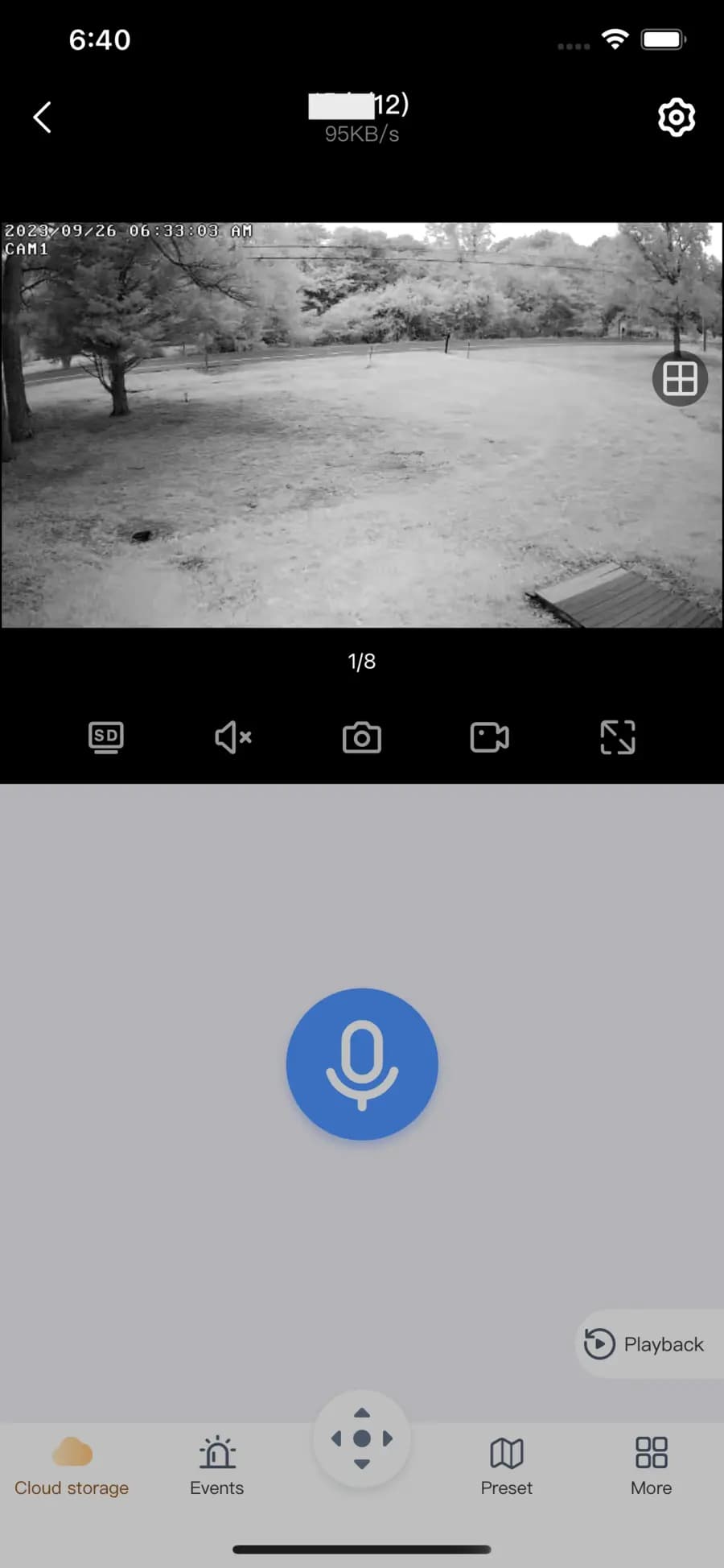
A quick look at the YESKAMO Camera App
The YESKAMO Camera App connects to your YESKAMO security cameras and NVR kits so you can keep an eye on what matters — at home or away.
Open the app and watch a real-time 24/7 feed from any of your YESKAMO cameras over Wi-Fi or mobile data.
Scrub back through recorded footage on the SD card, NVR or cloud to find the moment you need.
Get an instant push notification on your phone when a camera detects motion, so you never miss an event.
Share a device with family members and back up or export clips and snapshots in a couple of taps.
Add a new camera by scanning its QR code, entering the Cloud ID, or pairing over the camera hotspot.
View several cameras at once, group devices, control PTZ models, and talk back through supported cameras.
Real screens from the iOS and Android app
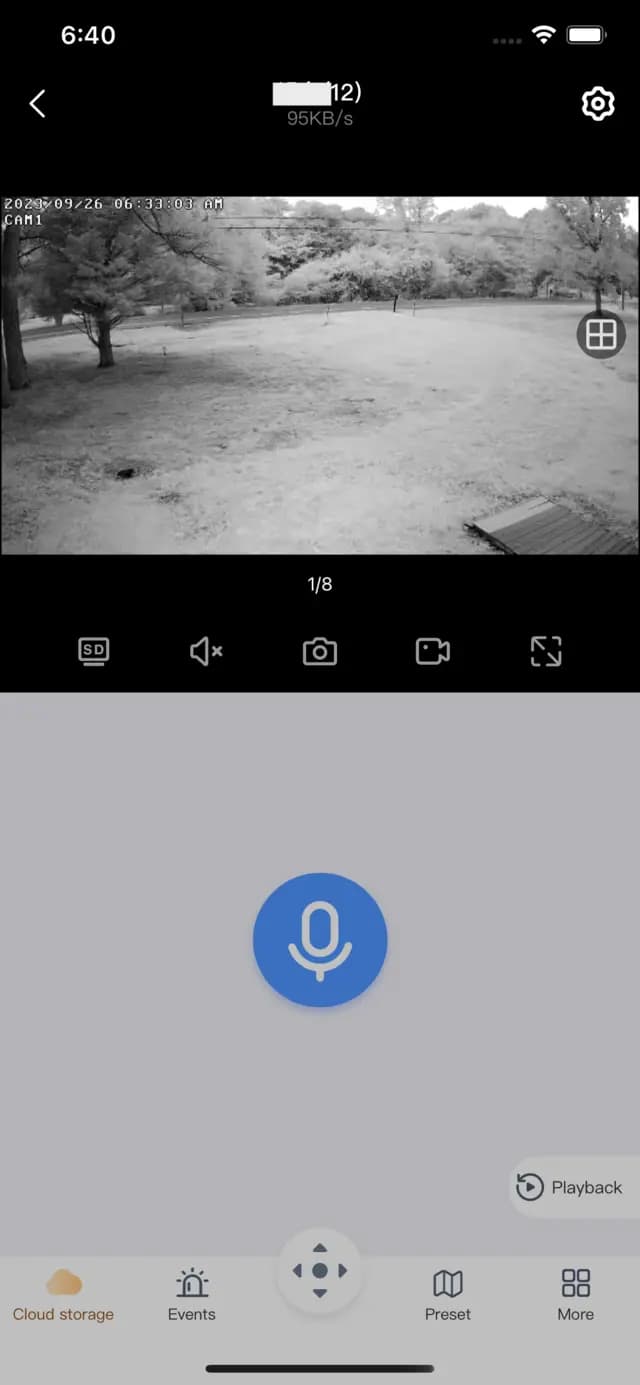
Full-screen live feed with snapshot, recording and two-way audio.
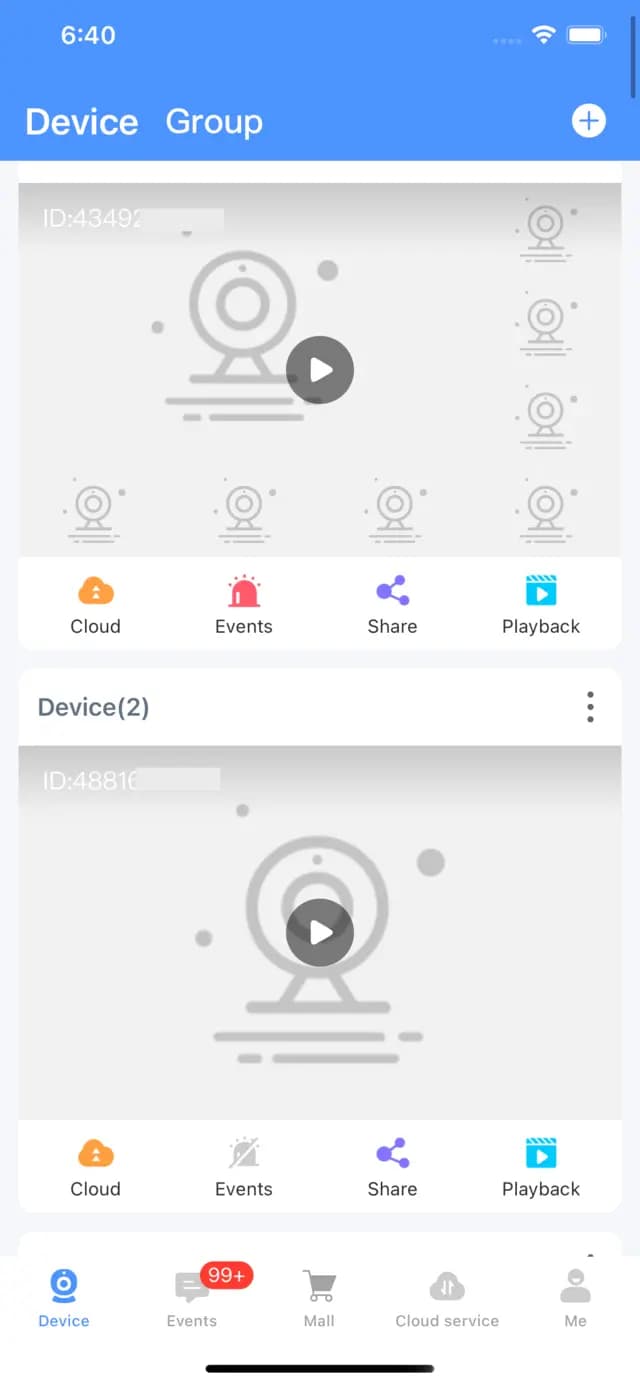
All your cameras in one list with quick cloud, events, share and playback.
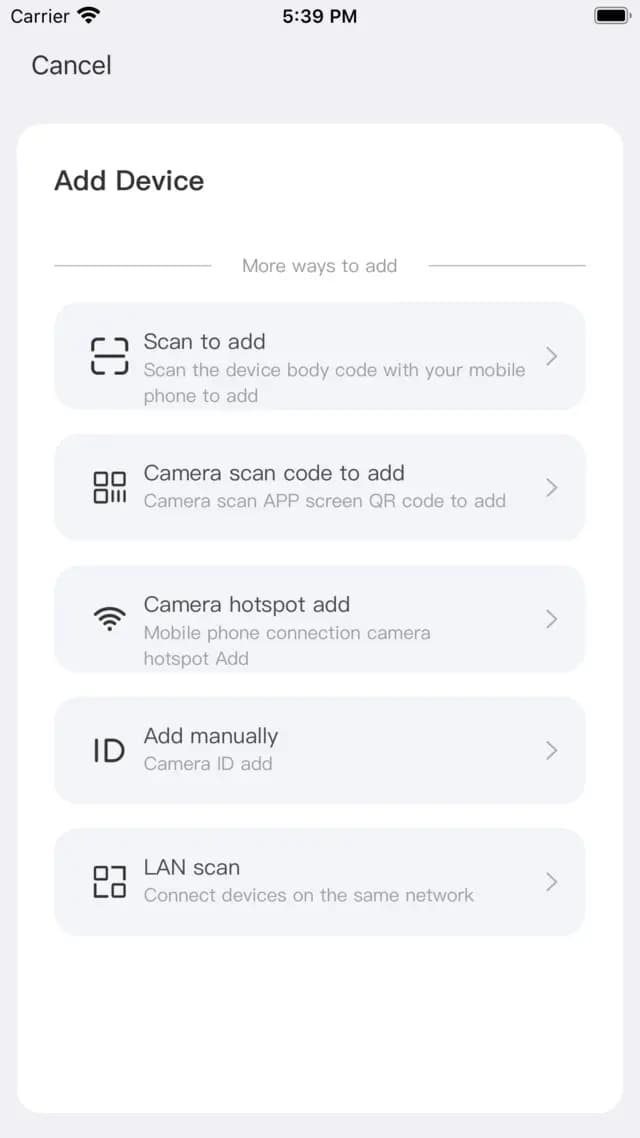
Scan a QR code, add a Cloud ID, or connect over the camera hotspot.
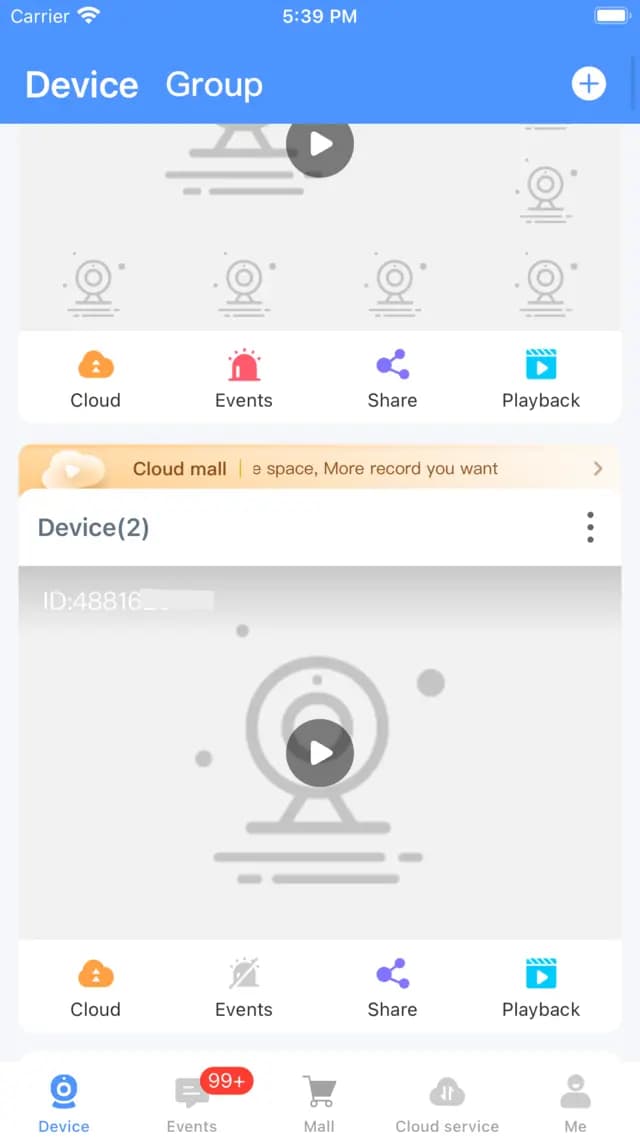
Organise multiple cameras into groups for a faster overview.
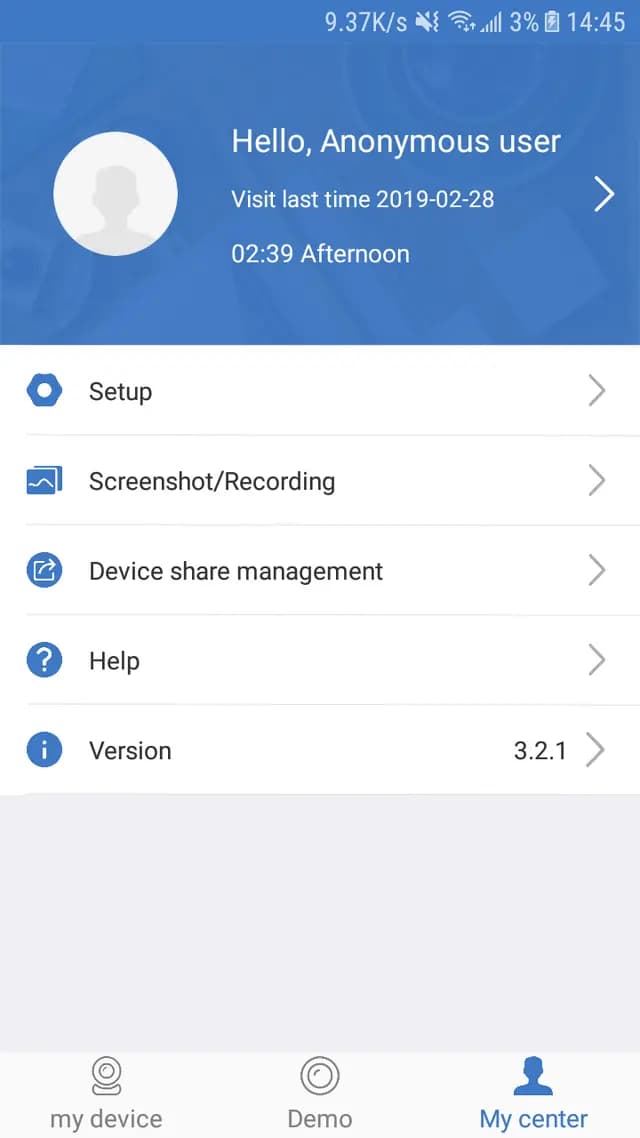
Manage setup, recordings, device sharing and app preferences.
Screenshots from the official App Store and Google Play listings.
From download to live view in minutes
Install the free YESKAMO Camera App from the App Store or Google Play and create an account.
Tap “Add Device” and scan the QR code on your camera, or enter its Cloud ID to pair it to your account.
Your camera goes live in the app. View it 24/7, set motion alerts and play back recordings wherever you are.
The YESKAMO Camera App supports the brand’s home and small-business security devices.
WiFi camera systems with a monitor and recorder.
Rechargeable indoor and outdoor cameras.
Solar-powered wire-free outdoor cameras.
Pan, tilt and zoom 360° cameras.
Cameras with a built-in security light.
Wired Power-over-Ethernet cameras.
Extra cameras paired to an existing kit.
Some older models pair with the EseeCloud app instead — check your manual or our FAQ to see which app your camera uses.
Watch on a bigger screen
There is no native Windows version of the YESKAMO Camera App, but you still have a few good options for viewing on a desktop.
On an Apple-silicon Mac you can install the iOS app directly from the Mac App Store.
Run the Android app on Windows through an emulator such as BlueStacks for a big-screen view.
Some YESKAMO cameras expose an RTSP/ONVIF stream you can open in desktop video software.
Step-by-step answers to the most common YESKAMO questions
Feedback adapted from public App Store and Google Play reviews
Setup was quick — I scanned the QR code and the camera was live on my phone in a couple of minutes.
 App Store userHome user
I like that remote viewing is free. I can check my shop cameras from anywhere without a subscription.
 Google Play userSmall business
The live view is clear and the two-way audio is handy for talking to deliveries at the door.
 App Store userHomeowner
Works well with my wireless NVR kit. Having all the cameras in one app is convenient.
 Google Play userVerified review
Motion alerts let me know when the kids get home from school. Easy to share access with my partner.
 App Store userParent
Playback helped me find the clip I needed. Tip: a strong 2.4GHz Wi-Fi signal makes a big difference.
 Google Play userLong-time user
Quick answers about the YESKAMO Camera App

Download the free app and start watching your YESKAMO cameras from anywhere. Need help first? Browse our setup and troubleshooting guides.
Browse the help centerNewsletter
Subscribe to our newsletter for the latest news and updates